


Middle school arrives like a sudden storm without any instructions or even recommendations about the right planner for teens. A few months ago, your child had one teacher, one cubby, and one primary folder. Suddenly, they are changing rooms, remembering locker combinations, discovering six or seven different teaching styles. Not to mention digital portals, and a workload that triples overnight. Finding the right planner for teens sounds like the right solution but we need to dig deeper.
For our neurodiverse kids (those navigating dyslexia, dysgraphia, ADHD, or broader executive functioning challenges) this shift feels like juggling six balls while riding a unicycle. Their brains are already working overtime so when we ask them to manage complex organizational systems, the whole structure collapses.
Middle school is where the biological demands of school outpaced the executive functioning development of a child’s brain. Think of executive functioning as the brain’s control center. It’s called the prefrontal cortex and it handles working memory, cognitive flexibility, task initiation, time perception, and organization. In a neurotypical child, these pathways mature steadily. In a child with dyslexia or executive functioning delays, development of that control center can lag by two to three years. That means your 7th grader might have the organizational ability of a 4th grader. Are they ready for a planner for teens?
When a child has dyslexia or dysgraphia, reading and writing consume massive amounts of brain power. By the time the bell rings at the end of the class, their mental battery is completely drained. So when the teacher mentions “Read pages 45 to 50 and do the odd-numbered questions by Thursday,” a neurotypical student writes it down in two seconds. But for your child, they might experience:
When they tell you that they don’t have any homework, it’s because their brain has wiped the slate clean to protect them from overload not because they didn’t use the right planner for teens.
Before we dive into planner for teens which includes binders, apps, and physical setups, we have to address the elephant in the room: teenage resistance. You can buy the best planner for teens, color-coded highlighters, and accordion folders in the world, but if your middle schooler digs in their heels those supplies will just sit in a corner gathering dust. I speak from experience!
It’s important to understand why teenagers fight our attempts to help them get organized.
First, middle schoolers are biologically driven to seek autonomy and independence. When we try to organize their lives, they can feel that we are treating them like a little kid. Not to mention that a student who constantly loses papers, and forgets homework might feel embarrassed. When you open their backpack and pull out three weeks of crumpled math worksheets, they don’t see a helpful intervention; they feel exposed. Think of resistance as protective armor.
To go beyond a planner for teens and to help them build a system they will actually use, I’m going to have you shift from an enforcing boss to a supportive coach given 3 common scenarios you might run into:
Scenario 1: When They Have It All in Their Head
Scenario 2: The Backpack Defense
Scenario 3: The Micromanager Accusation
By shifting the language from trying to fix their habits to acknowledging their stress, you build genuine buy-in. Yes, these scenarios feel a little Disney-esque but we have to start somewhere. Remember I love sayings and this seems like the perfect time to say: “Rome wasn’t built in a day”. Basically, we need to get our child’s buy-in so we can progress to an actual system and eventually incorporate a planner for teens.
So now, let’s talk about the organizational system. There are 3 elements that every effective organization system needs. Notice the word effective!
We just discussed the 3 things an effective organizational system needs to have. Now, we’re ready to discuss actual systems including an actual planner for teens.
When class ends, they do not need to figure out which ring to unclip or where to file a paper. If they are in a rush, everything goes straight into the front “Catch-All” folder. Then, once a week (maybe Sunday afternoon) you sit down together for the Sunday Reset:
Mornings in houses with neurodiverse kids can easily become chaotic. You’re dealing with missing shoes, unfound permission slips that need to be signed, and rising tempers five minutes before the bus arrives or you need to be out the door on the way for drop-off. This system requires more effort than the first system, and more space to execute.
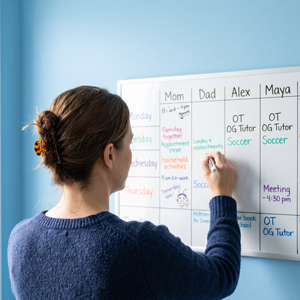
You’ll want to establish a Family Planner Designated Space near the primary door of your home. If everyone goes out through the mudroom door, then this space is right next to the mudroom. If the garage door is the exit route then the designated space is right there. Basically, this is the space where everything and anything needed for the next school day lives. You can have a large white board or digital screen with everyone’s schedule. This space also needs to have a:
Pinterest has tons of images of what this can look like. From low-tech, dry-erase, reusable wall calendars to large screen digital calendars that automatically sync with each member’s planner.
This space only works with a golden rule: If an item is not sitting in the area before your teen goes to bed, it does not exist for the morning. The key concept is to make getting ready for the following day part of the evening routine.
Paper planners are the kiss of death for many dyslexic and dysgraphic kids. Asking a student who struggles with writing mechanics or spelling to manually copy assignments off a whiteboard six times a day demands a massive amount of physical effort.
Enter Voice-to-Text Digital Planners.
Most school districts give students access to accounts like Google Workspace or Microsoft 365. Some states still allow students to have personal smartphones/tablets. Instead of forcing paper as the medium, teach your child to use voice recognition. By using voice-to-text, you remove spelling anxiety and physical writing fatigue entirely. The task gets recorded quickly, preserving their energy for the next class. There are some apps that are worth exploring. I haven’t personally used all of them so I don’t want to rate them. Experiment, try one for a week and see how it goes.
You probably already know that you won’t be able to download any of these apps on your child’s school laptop. You’ll need to call a 504 or IEP meeting to discuss what is available at the school and
1) have them add the technology to your child’s plan
2) have them teach your child how to use the technology. Have both pieces added to the written document. This is an important step because your child may need authorization to use the apps. Don’t try to circumvent this step as it will come back to bite you.
So we just talked about three possible ways to get organized. But there is still a missing piece of the equation for middle schoolers with executive dysfunction. They aren’t great at starting. We call this task Initiation. Looking at an assignment list can trigger overwhelm, so they naturally push it away by checking their phone, grabbing a snack, or staring into space. To help your teenager get past this initial friction, use the pomodoro framework (chunk it)
You may have started out looking for the ultimate planner for teens but if you’ve read this far, you’ve realized that it completely depends upon the teenager.
As parents our goal is to give our kids practical tools, and simple ways to navigate the world with confidence and independence. Small, consistent steps taken week after week yield lasting transformations. If you would like to discuss your needs schedule a consultation on the Contact page.

When a child refuses to do school work, you may wonder is homework bad? Understand that the refusal is almost never the problem. It’s the message. Your child is telling you something and our job is to translate it. Translation for I’m Not Doing It Instead of wondering is homework
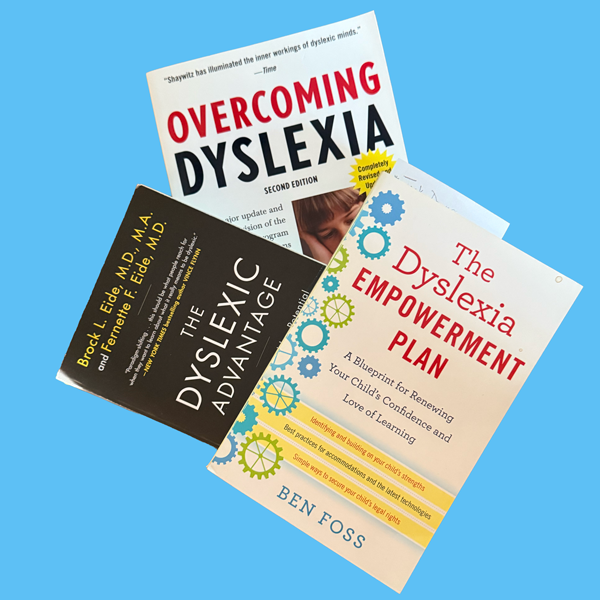
When you are plunged (or pushed) into the world of neurodiversity, the absolute best tool to combat fear is information. This post highlights 3 books about dyslexia. The goal is to help you understand your child’s brilliant mind, figure out how to advocate for them, and transform your anxiety (if

We value common sense. There are cookies on our site and you consent to the usage.
Manage your preferences:
Essential cookies enable basic functions and are necessary for the website.
Statistics cookies collect information anonymously to understand our website.
SourceBuster is used by WooCommerce for order attribution based on user source.
For exciting reading check out our cookie and privacy policy.